> For the complete documentation index, see [llms.txt](https://liieditors.docs.laws.africa/llms.txt). Markdown versions of documentation pages are available by appending `.md` to page URLs; this page is available as [Markdown](https://liieditors.docs.laws.africa/managing-documents/how-to-add-relationships-between-documents.md).
# How to add relationships between documents
This guide explains how to create relationships between legal documents on the platform.
### Adding a Relationship
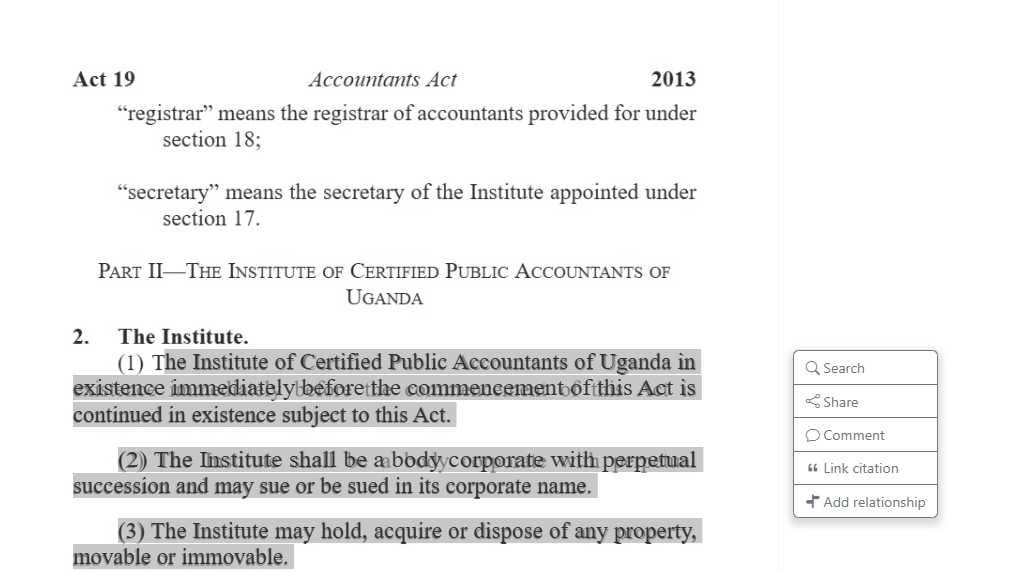
1. Navigate to the document and highlight the specific text, section, or provision you want to link
2. A contextual menu will appear
3. Select **Add relationship**
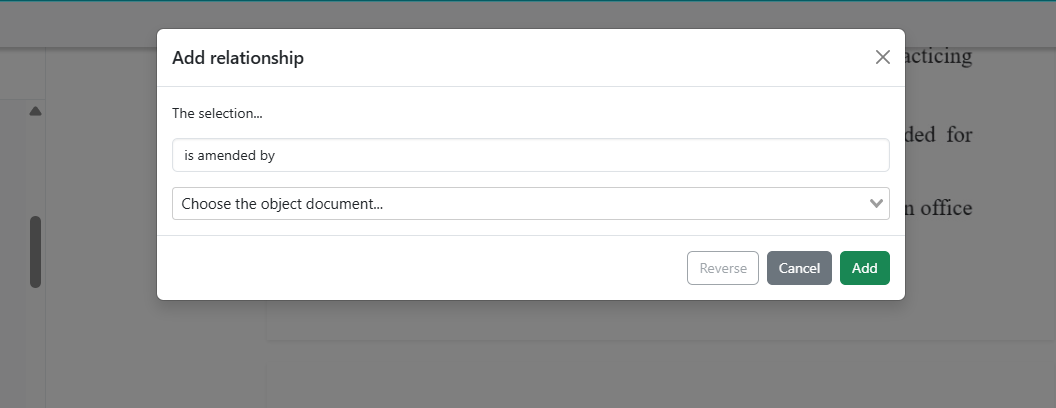
4. The **Add relationship** dialog box opens
5. Choose the most appropriate relationship type from the dropdown.
6. Select the related document you want to link to by starting to type in the choose the object document field
7. Click the **Add** button to save the relationship
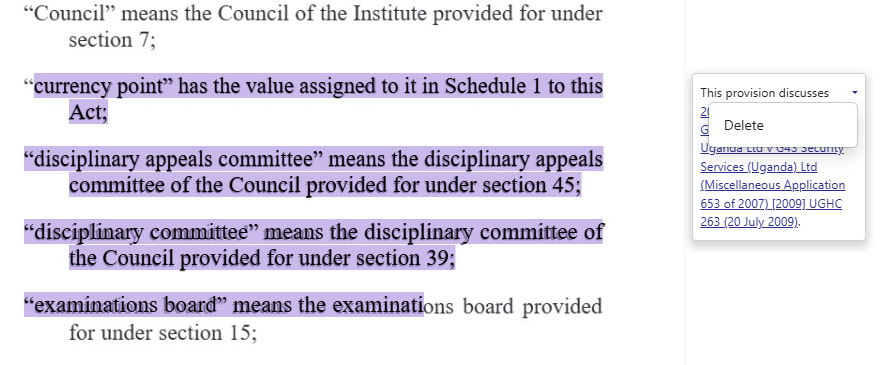
8. Click **Reverse** to change the direction of the relationship if it’s incorrect, or **Delete** it if the relationship does not apply
.png%202026-02-04%2015.43.48.png?alt=media&token=f9a47678-8f34-48db-aa54-15e675c10dc8)